How to Use
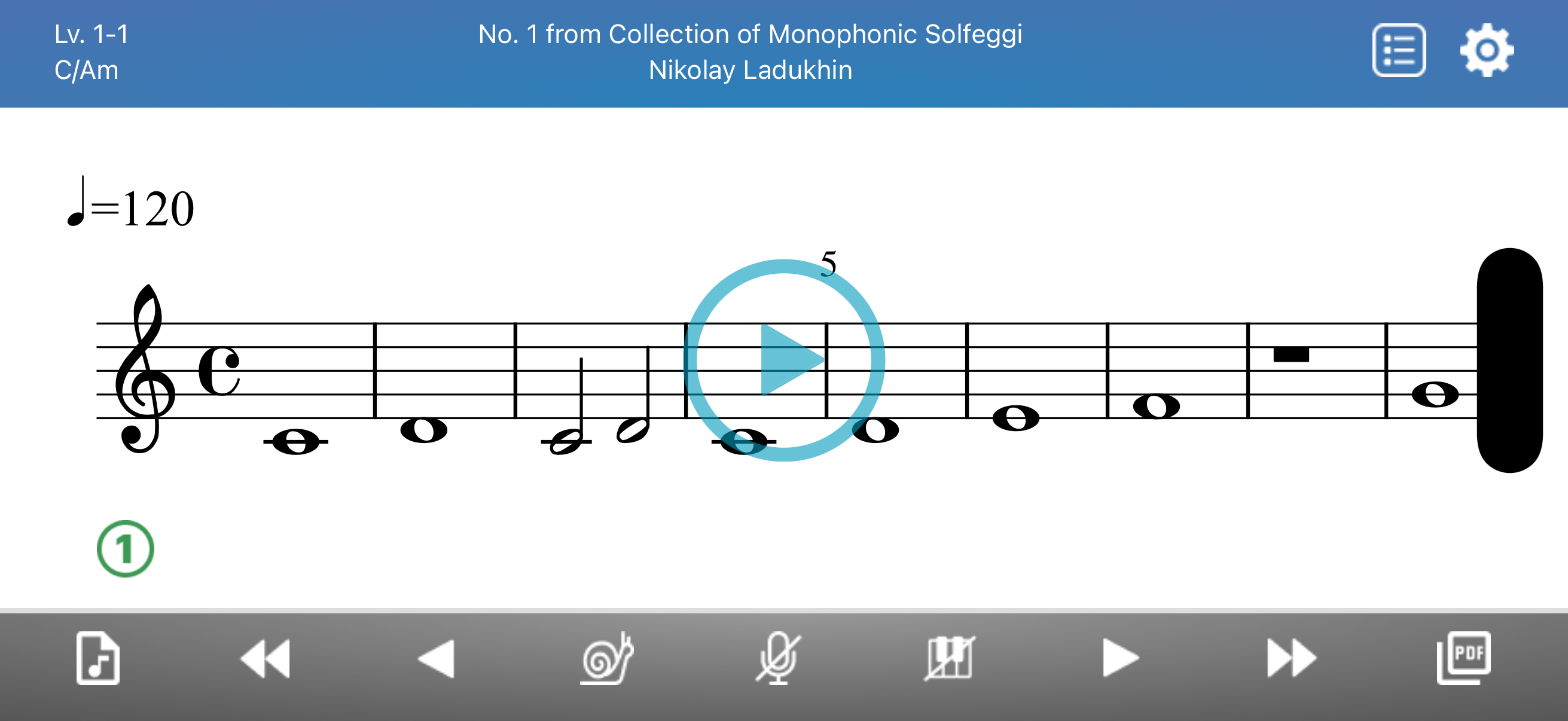
Screen Tips
- Key name (top-left, e.g. C/Am) — tap to view the scale
- Composer name (top-center) — tap to open the composer's Wikipedia page
- Circled number (bottom-left) — difficulty level
Player Controls
| Icon | Function |
|---|---|
 | Song List — Open song list |
 | Setting — Open settings |
 | MP3 — Download MP3 |
 | Skip Back — Go to previous level |
 | Previous — Previous melody |
 | Slow — Toggle slow tempo (80%) |
 | Vocal Mute — Mute/unmute guide vocal |
 | Piano Mute — Mute/unmute piano |
 | Next — Next melody |
 | Skip Forward — Go to next level |
 | PDF — View/download sheet music |
Settings
| Setting | Options |
|---|---|
| Clef | Treble / Alto / Tenor / Bass |
| Do System | Fixed-do / Movable-do |
| Syllable Type | Chromatic / Non-chromatic |
| Vocal Volume | 0–5 |
| Piano Volume | 0–5 |
| Metronome Volume | 0–5 |
| Voice/Melody | As Is / Female / Male / Unison / Melody |
| Score Size | Smaller / Default / Larger |
| Song Title | Original / English |
| Show Source | On / Off |
Song Filter
Filter songs by:
TypeDifficultyKeyTime SignatureEraGenderCountry
PDF Viewer
View and download sheet music in multiple clefs: Treble, Alto, Tenor, Bass, B-flat transposition, and Lyrics.
MP3 Download
Download MP3 with your choice of Do system, syllable type, voice/melody, and tempo (regular or slow).
Subscription
Some features require a subscription:
- Slow Tempo Mode
- Extra Contents
- PDF Download
- MP3 Download